Today we're introducing OakConnect, our own remote desktop client for Windows and Mac. OakConnect makes connecting to your Cloud Mac simple, secure and fast: enter your Mac's IP address, log in, and you're on your desktop. It takes care of encryption, FileVault and the rest of the setup that used to stand between you and your Mac.
OakConnect is free for personal use, and free for commercial use for all OakHost customers.
Why We Built OakConnect
macOS comes with a built-in Screen Sharing server, which speaks the VNC protocol. It works, but connecting from another operating system is often a frustrating experience. Most VNC clients send your screen contents and keystrokes over the internet without encryption, error messages tend to be cryptic, and after a restart a Mac with FileVault enabled isn't reachable via Screen Sharing at all until someone unlocks the disk.
Encrypting the connection usually means setting up an SSH tunnel by hand. That's secure, but hardly convenient. We wanted a client that gets all of this right by default, so you can focus on your work instead of your connection.
Secure by Default: VNC Through an SSH Tunnel
OakConnect connects to the Screen Sharing server on your Mac through an SSH tunnel, which it creates automatically. Your screen, keystrokes and password are always encrypted, and there's nothing to configure.
Because Screen Sharing is reached through SSH, it no longer needs to be accessible from the internet. You can block the Screen Sharing port (5900) in the OakHost Firewall and leave only SSH open, significantly reducing your Mac's attack surface.
OakConnect also remembers the security level of every Mac you connect to. If an encrypted connection isn't possible, it tells you exactly why and asks before falling back to an unencrypted one. It never downgrades silently. A clear indicator in the viewer always shows whether your current session is encrypted.
The OakHost Enhanced Protocol on Windows
On Windows, OakConnect goes a step further with the OakHost Enhanced Protocol, our own proprietary protocol for connecting to Cloud Macs. Designed from the ground up for remote work on a Mac, it delivers a remote desktop that feels much closer to sitting in front of the Mac:
- Low latency, high image quality - smooth motion at up to 60 frames per second, at a fraction of the bandwidth of VNC, with crisp text up to 4K resolution
- Adaptive streaming - automatically adjusts to your connection, and lets you pick a higher quality or a low-bandwidth mode for each Mac
- Clipboard sharing - copy on Windows, paste on your Mac and vice versa, with full Unicode support
- Accurate pointer shapes - you see the same text, resize or hand cursor that macOS shows, instead of a static arrow
The Enhanced Protocol runs entirely through the encrypted SSH connection, so it gets all the security benefits described above.
FileVault Unlock After a Restart
We recommend encrypting your Cloud Mac with FileVault. Until now, this meant that after every restart your Mac would wait for its disk to be unlocked before Screen Sharing became available.
OakConnect detects when your Mac is waiting for FileVault and offers to unlock it for you. Confirm, and OakConnect unlocks the disk over SSH, waits for macOS to finish starting and connects you to your desktop, all in one go. This works on both Windows and Mac.
Built for Ease of Use
Remote access should just work, and when it doesn't, you should know why. OakConnect was designed around that:
- Descriptive status and error messages - OakConnect shows you each step while connecting and tells you in plain language what went wrong and what you can do about it
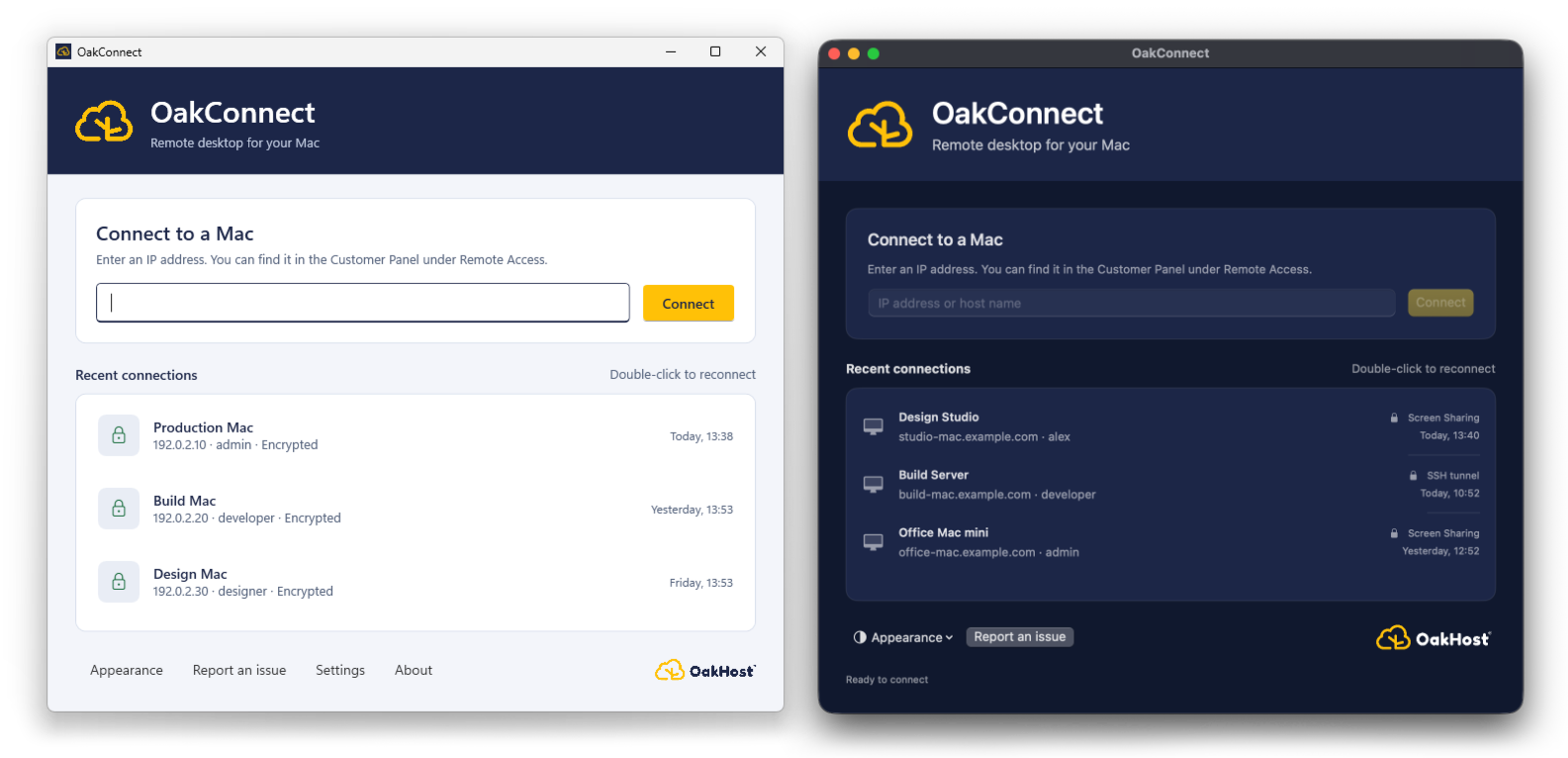
- Recent connections - all your Macs at a glance with their security status, reconnect with a double-click
- Remember me - passwords are stored securely in Windows Credential Manager or the macOS Keychain, if you choose to
- Automatic updates - OakConnect keeps itself up to date in the background, without interrupting your sessions
- Light and dark mode - pick the look that suits you, or follow your system setting
On the Mac, OakConnect takes care of the secure tunnel, FileVault and connection management, and then hands the session to Apple's built-in Screen Sharing app.
Available on All OakHost Macs
The Enhanced Protocol and SSH features are available on all OakHost Cloud Macs by default. There's nothing to install or enable on your Mac: OakConnect sets up everything it needs when you connect.
OakConnect is available for Windows and macOS. Visit our documentation for download links, system requirements and further information.
We built OakConnect because we wanted the best possible way to work on a Cloud Mac from any computer. We hope you enjoy it as much as we do, and we look forward to your feedback.


